

How To Replace A Nissan Engine Control Module
A vehicle’s engine control module (ECM) handles all the complex technical tasks required for your Nissan engine to provide optimal fuel economy and comply with emissions regulations. A failing ECM can result in several possible symptoms, including not starting, running rough, poor fuel economy, or excessive tailpipe emissions. In another blog post, we explained how to diagnose a failing engine control module. If you’ve confirmed that your ECM is bad, we’ll show you how to replace it or determine whether or not you should replace it with the proper tools. For different ECM replacement options, refer to our blog post OEM, Aftermarket, Or Remanufactured ECMs - Which Is Best? to make an educated decision.
Can I Replace My Own ECM?
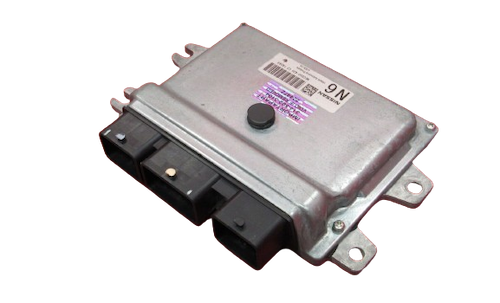
Under some circumstances, replacing your engine control module is possible. However, it is strongly recommended to consult a repair manual to verify the steps involved. You’ll likely need access to a computer with software capable of reprogramming the ECM. Typically, the newer the vehicle the more complex an ECM replacement will be to undertake. A new engine control module needs software programming specific to your vehicle identification number (VIN). The module may come preprogrammed if you buy a remanufactured ECM or use a repair and return service. Otherwise, taking your Nissan to a dealership or qualified technician with the proper equipment would be ideal.
Tools And Supplies You'll Need
Replacing your own ECM can save you money on expensive repair shop labor. However, you'll need the right tools before taking on this task yourself. Unless the ECM is preprogrammed, you'll need access to an aftermarket programming tool like NERS (Nissan ECU Reprogramming Software), with a compatible diagnostic cable to connect to your vehicle. Here's what you’ll need to replace your ECM:
- Replacement ECM
- Ratchet with sockets and extensions
- Trim tool for removing plastic fasteners
- Small flat screwdriver
- OBD II code reader
- PC with NERS software and compatible diagnostic cable (if the ECM is not preprogrammed)
Replacing The Engine Control Module
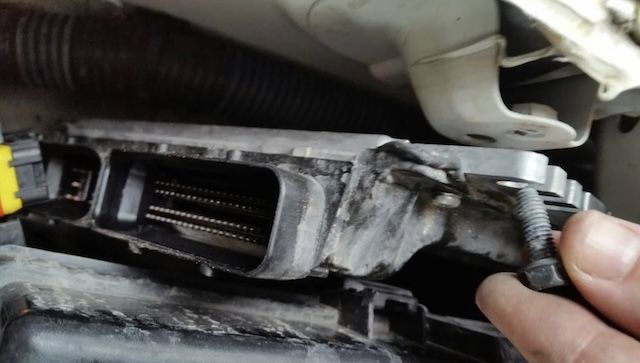
Image Credit: ClubFrontier
- Disconnect the battery.
- Determine the location of the ECM. The mounting point can vary depending on the year and model of your Nissan.
- Disconnect the electrical connectors and fasteners to remove the ECM. Consult a repair manual to verify specific instructions for your Nissan.
- Carefully install the new ECM and secure the fasteners.
- Reconnect the ECM electrical connectors.
- Program the ECM (if the ECM is not preprogrammed).
- Test drive the vehicle to verify the repair has corrected the problem.
- Use a code scanner to check if the ECM has set any Diagnostic Trouble Codes (DTCs). It’s important to resolve any DTC issues, especially codes related to ECM software or hardware errors that indicate incorrect programming.
Working on your own vehicle can be rewarding and provide the experience to take on future repairs yourself. Search our website or give us a call to find the correct replacement ECM for your Nissan.
Trust Nissan Parts Plus For Your Genuine Nissan ECM
We’ve been a family-owned Nissan dealership for over 50 years and we offer factory-direct genuine OEM Nissan parts and accessories at wholesale prices.
We’re here to answer your questions and get the right parts for your Nissan. Check out our FAQ, or please get in touch with us!